


How to Read Your Electric Meter: A Comprehensive Guide
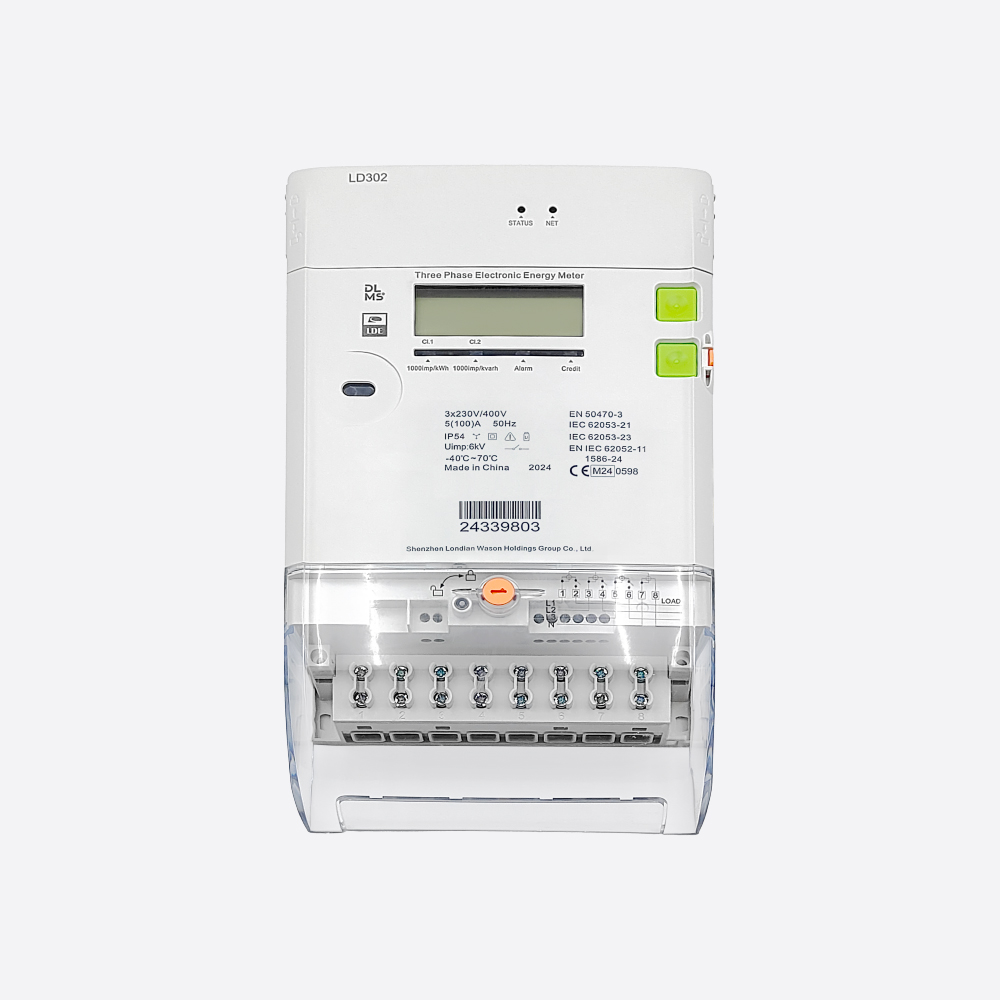
Accurately reading your electric meter is essential for tracking energy consumption, verifying bills, and identifying potential discrepancies. Whether you have a traditional dial meter, a digital display, or a smart meter, understanding how to read it ensures better control over your electricity usage. This guide provides step-by-step instructions for different meter types, along with tips for optimizing energy efficiency.
1. Why Reading Your Electric Meter Matters
Monitoring your electricity meter helps you:
- Verify billing accuracy – Compare your readings with your supplier’s estimates.
- Track energy consumption – Identify high-usage periods and adjust habits.
- Detect faults early – Spot unusual spikes indicating potential electrical issues.
- Support budgeting – Forecast costs based on real-time usage.
2. Types of Electric Meters and How to Read Them
A. Digital Electric Meters
Most modern meters have an LCD or LED display showing kilowatt-hours (kWh).
Steps to read:
- Locate the digital screen (some cycle through multiple displays).
- Note the primary reading, usually labeled “kWh” or “Total kWh”.
- If the display cycles, wait for the correct number (ignore other figures like voltage or time).
- Record the number from left to right, excluding any digits after a decimal point.
Example: If the display shows 12345.6, record 12345 kWh.
B. Dial (Analog) Meters
Older meters feature rotating dials numbered 0-9.
Steps to read:
- Read the dials from left to right (ignore any red or differently colored dials).
- If a pointer is between two numbers, record the lower number (unless it’s between 9 and 0, then record 9).
- If a pointer appears directly on a number, check the next dial:
- If the next dial has passed 0, record the current number.
- If not, subtract 1 (e.g., if the needle is on 5 but the next dial is at 2, record 4).
C. Smart Meters
Smart meters automatically send readings to your supplier, but you can still check them manually:
- Press the “Display” button to cycle through readings.
- Look for “Total kWh” or “Current Usage”.
- Some models show Day/Night rates (economy meters).
3. Submitting Your Meter Reading
Once you’ve recorded the number:
- Online: Log in to your energy provider’s portal.
- App: Submit via the supplier’s mobile app.
- Phone: Call the automated service or customer support.
Tip: Take a photo for reference in case of disputes.
4. Troubleshooting Common Issues
- Blurry or Faded Display: Clean the screen or use a flashlight.
- Inconsistent Readings: Check for power fluctuations or faulty wiring.
- Unusually High Consumption: Investigate appliance usage or possible leaks.
5. How to Reduce Electricity Consumption
Understanding your meter helps identify savings opportunities:
Switch to LED bulbs – More efficient than incandescent lighting.
Unplug idle devices – Phantom energy drain adds up.
Use energy-efficient appliances – Look for Energy Star ratings.
Adjust thermostat settings – A 1°C change can save ~10% on heating.
Závěr
Reading your electric meter is simple once you know how. Regular checks empower you to manage energy use, prevent billing errors, and save money. For further assistance, contact Londian Energy Support at [email protected] or visit our website www.londianglobal.com.